Automated Scheduling
Create and schedule meetings effortlessly with automatic calendar invites and reminders. Sync with Outlook and Gmail calendars to avoid conflicts.
Powerful features designed to make your board meetings more productive, organized, and impactful
Create and schedule meetings effortlessly with automatic calendar invites and reminders. Sync with Outlook and Gmail calendars to avoid conflicts.
Automatically capture meeting minutes, action items, and decisions in real-time. No more manual note-taking or post-meeting documentation.
Seamlessly integrate with Zoom, Microsoft Teams, and Google Meet. Create virtual meetings with a single click.
Build structured agendas with time allocations, attach supporting documents, and assign/share them with participants before meetings.
Convert discussions into trackable tasks with assignees, due dates, and priorities. Never lose sight of follow-up actions.
Get instant AI-generated summaries of your meetings, highlighting key decisions, action items, and discussion points.
From creation to follow-up, eBoard streamlines your entire meeting workflow
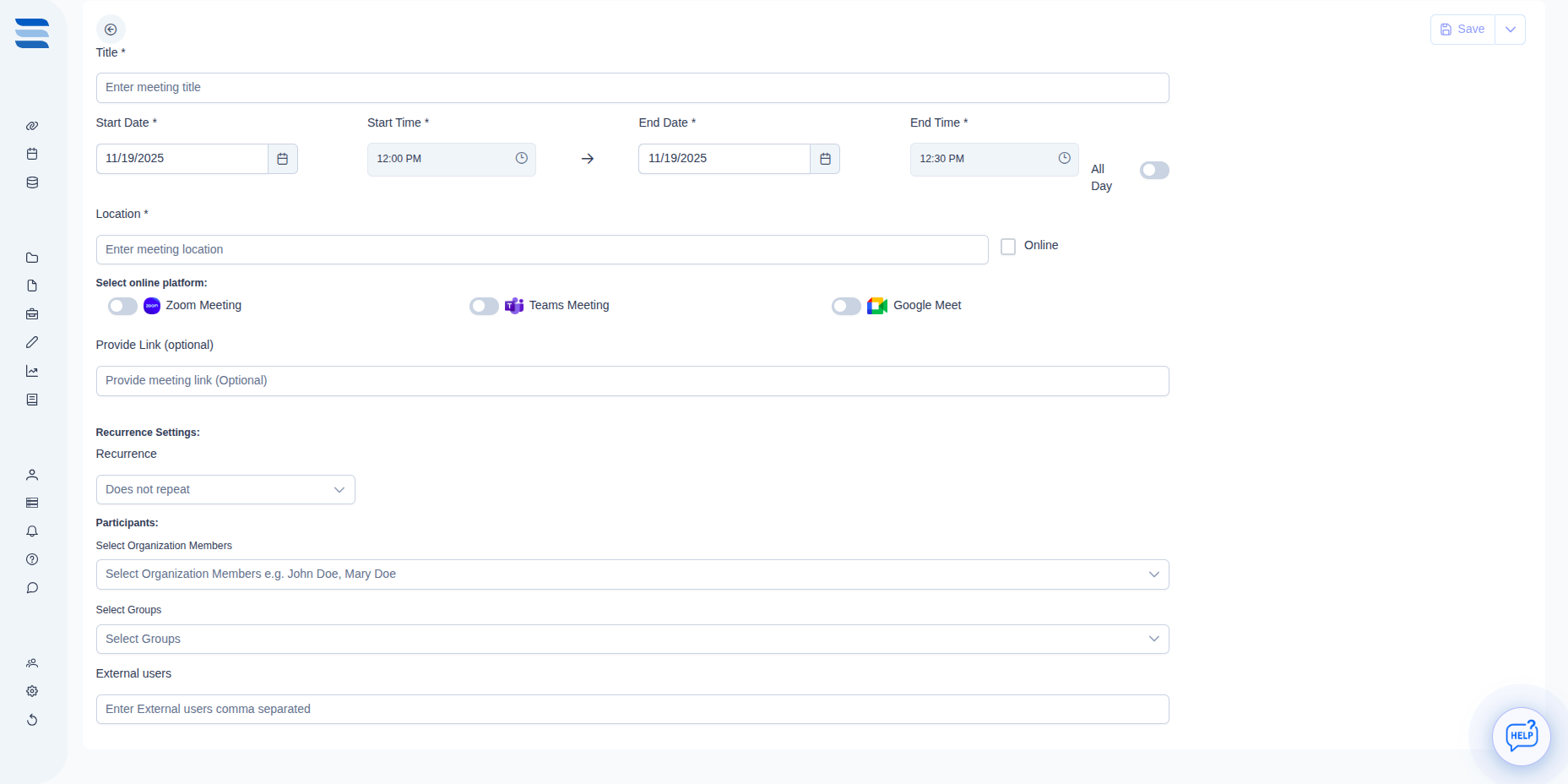
Set up meetings in seconds with our intuitive interface. Choose between physical or virtual meetings, add participants, set the date and time, and build your agenda. eBoard automatically sends calendar invites to all attendees.
 Click to view full image
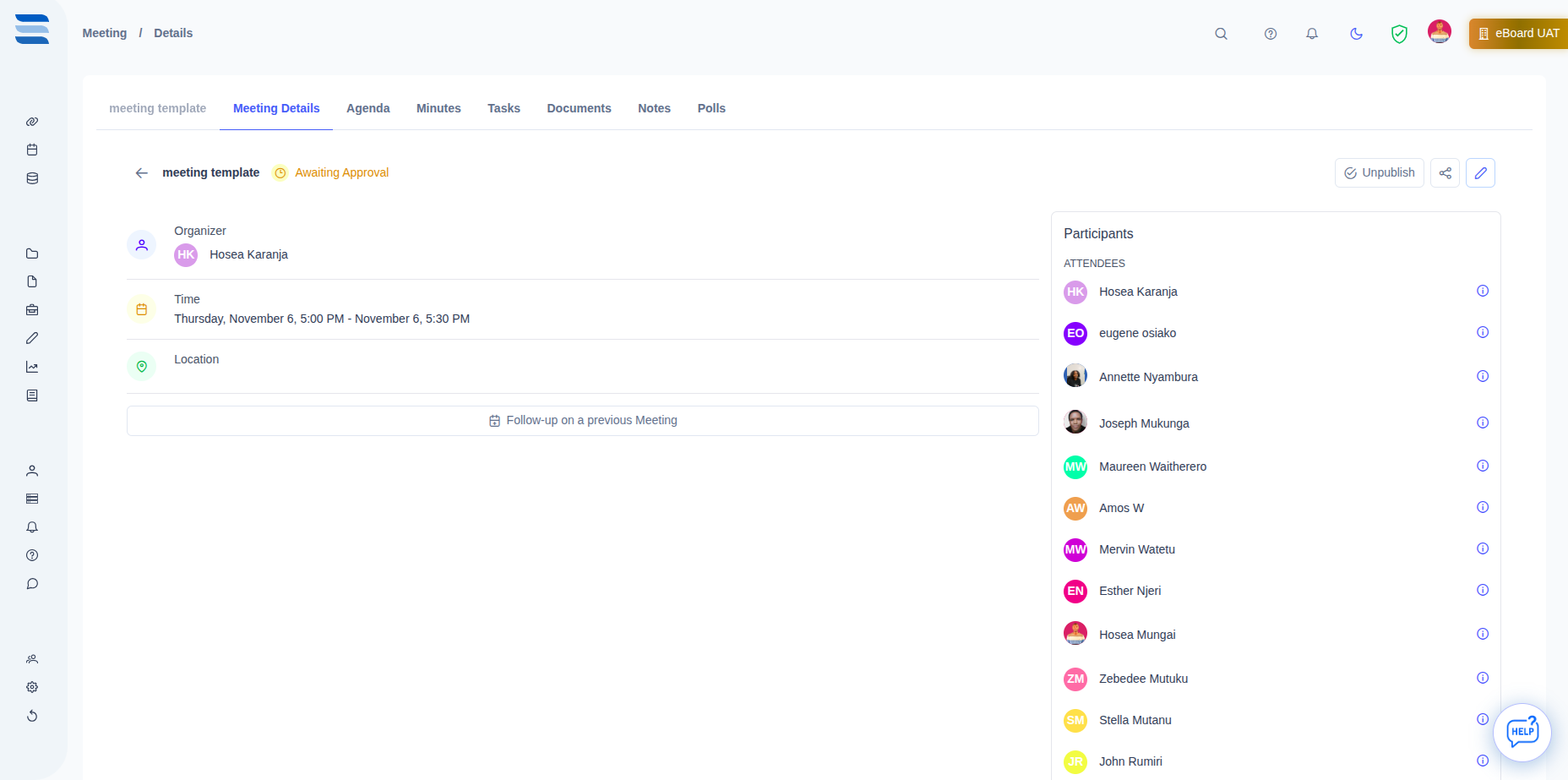
 During the meeting, capture minutes, notes, and action items in real-time. Participants can collaborate simultaneously, ensuring nothing is missed.
 Click to view full image
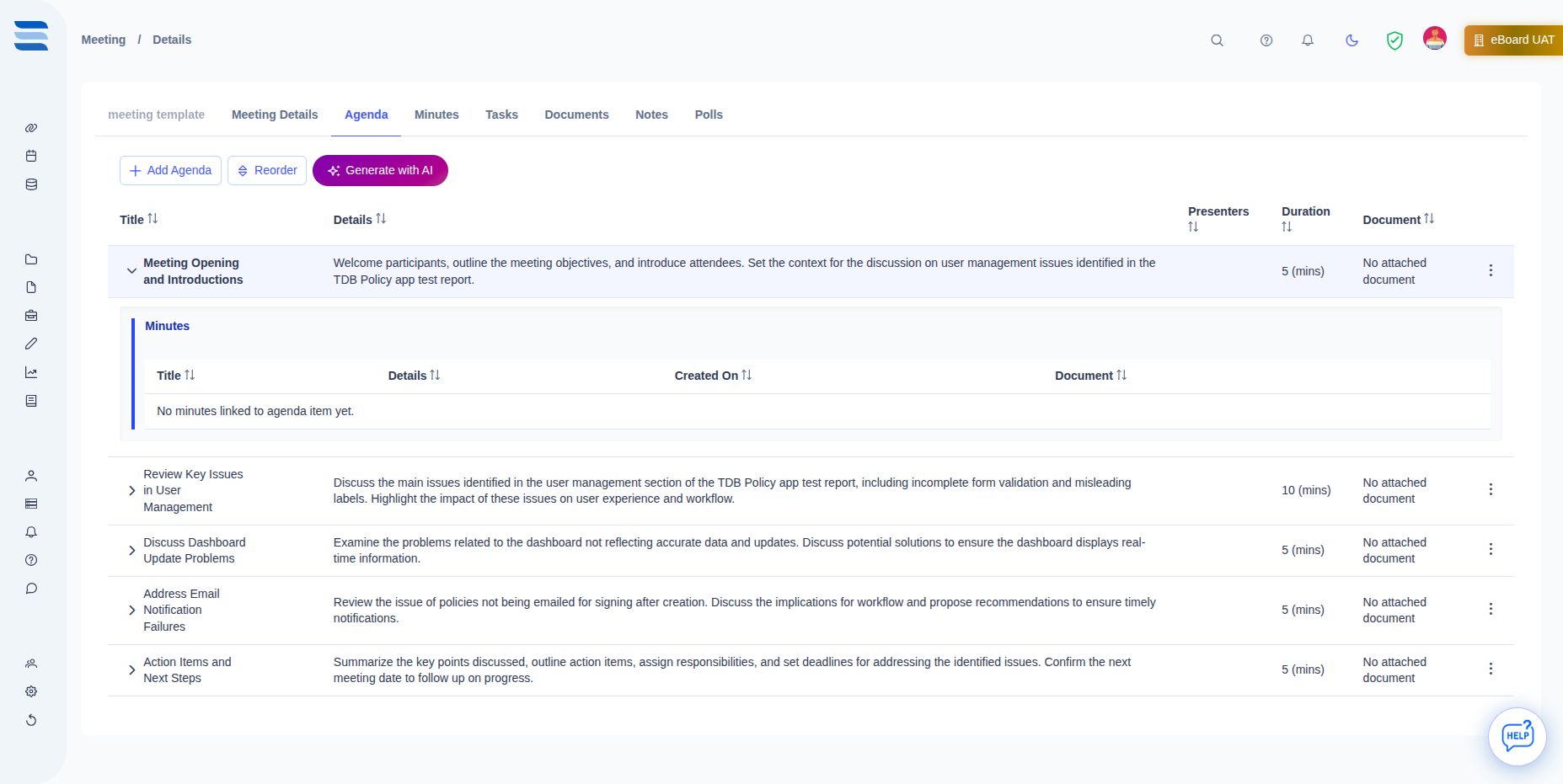
 After the meeting, access complete minutes, action items, and AI-generated summaries. Track task progress, schedule follow-up meetings, and maintain a complete audit trail of all decisions and discussions.
 Click to view full image
 Discover how eBoard transforms your board meetings from time-consuming obligations into productive, strategic sessions
Eliminate manual tasks like sending invites, compiling documents, and transcribing minutes. Automated workflows handle everything so you can focus on strategic discussions.
Calendar sync, automated reminders, and easy access to meeting materials ensure higher attendance rates and better-prepared participants.
Clear action items with assignees and due dates mean nothing falls through the cracks. Track completion status and follow up seamlessly.
Complete audit trails of all meetings, decisions, and votes. Meet regulatory requirements with automatically documented proceedings.
Search through past meetings, decisions, and discussions instantly. Reference previous board papers and minutes with powerful search tools.
Access meeting information on any device. Join virtual meetings, review documents, and contribute notes from desktop, tablet, or mobile.
eBoard works with the tools you already use, creating a unified meeting experience across all platforms
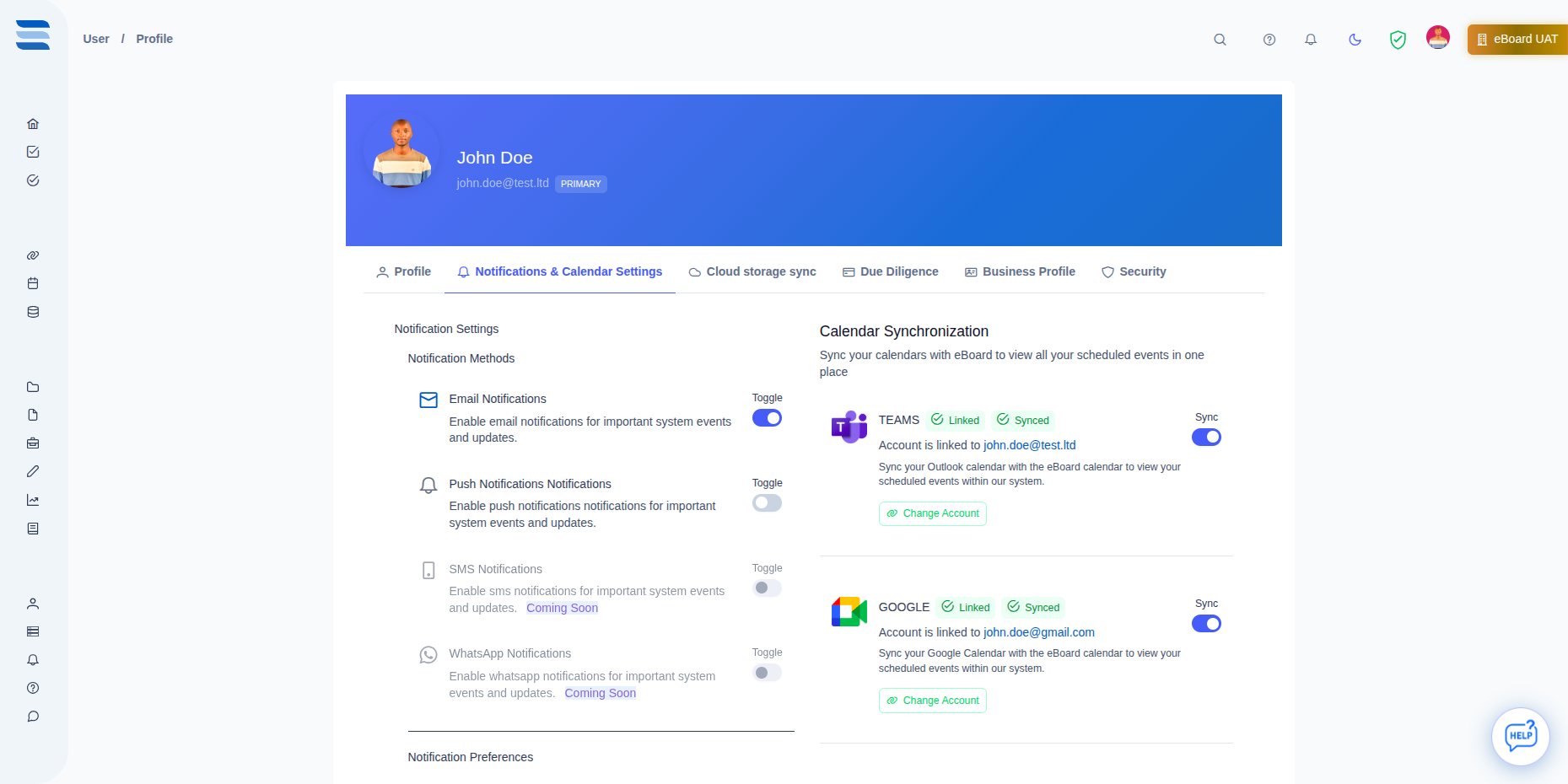
Automatically sync meetings to your existing calendars. Two-way sync ensures changes reflect everywhere.
Create Zoom meetings instantly from eBoard with one click. Meeting links are automatically added to invites.
Generate Teams meetings seamlessly. Access eBoard directly within Teams for unified collaboration.
Launch Google Meet sessions directly from your meeting page. All participants receive automatic join links.
Already have a meeting URL? No problem. Add any meeting link and eBoard handles the rest.
 Click to view full image
 Join hundreds of organizations that have revolutionized their meeting management with eBoard. Start your free trial today or schedule a personalized demo.
Everything you need to know about meeting management in eBoard
Discover other powerful features that work seamlessly with meeting management
Attach and organize all meeting-related documents in one secure, centralized location with version control and access management.
Learn MoreGet instant AI-generated summaries of meetings, automatically extract action items, and analyze discussion trends.
Learn MoreConvert meeting discussions into trackable tasks with assignees, due dates, and automated follow-up reminders.
Learn More