Quick Task Creation
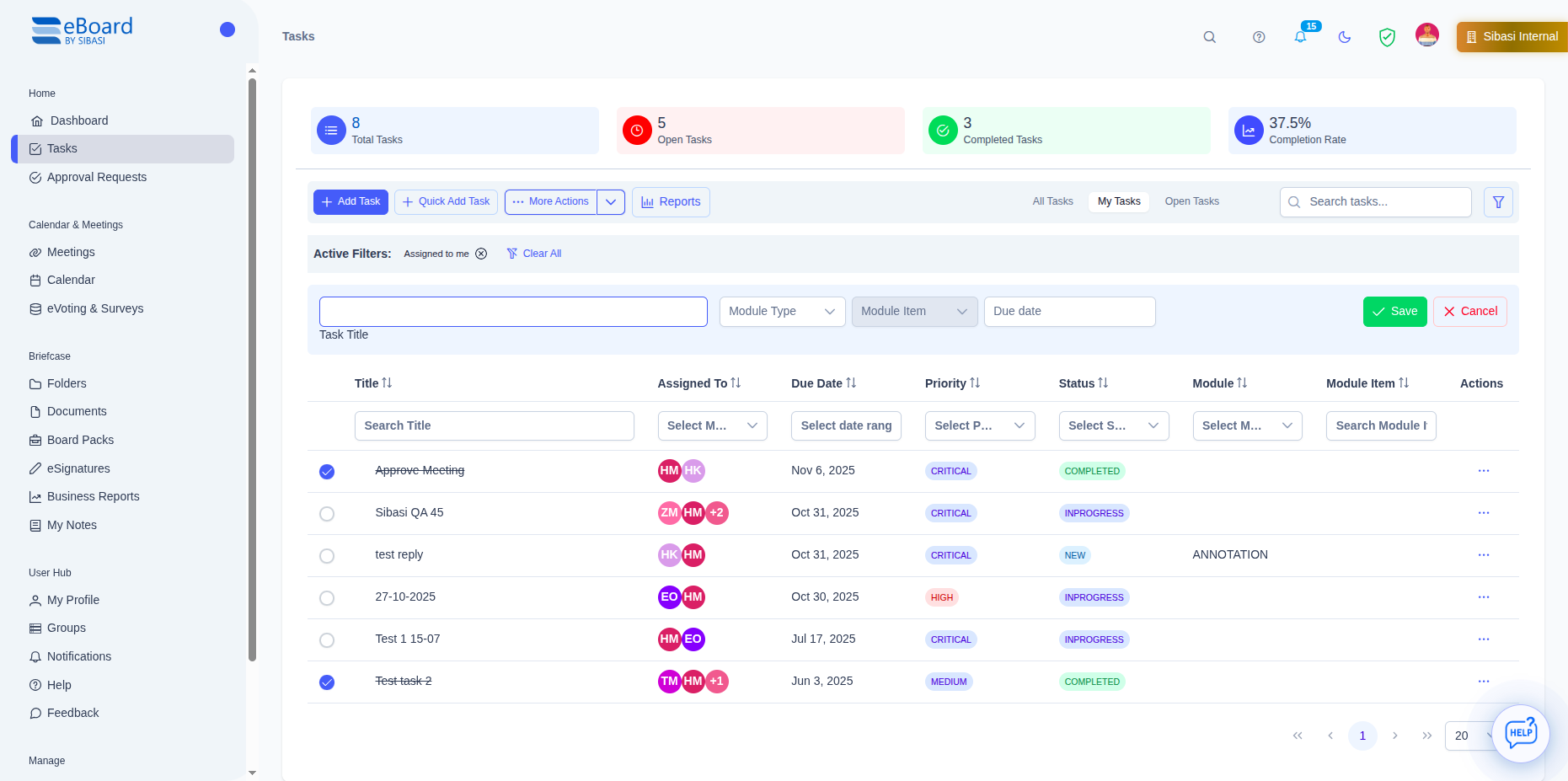
Create tasks in seconds with all essential details. Add from meetings, documents, or the main dashboard with just a few clicks.
From creation to completion, manage every action item with full visibility and accountability
Create tasks in seconds with all essential details. Add from meetings, documents, or the main dashboard with just a few clicks.
Assign tasks to individuals or entire committees. Set multiple assignees for collaborative work with clear responsibility.
Set deadlines and get automatic reminders. Visual indicators show overdue tasks, ensuring nothing is missed.
Set task priorities (Low, Medium, High, Critical) to help team members focus on what matters most.
Track tasks through customizable statuses: Not Started, In Progress, Completed. Visual progress indicators keep everyone informed.
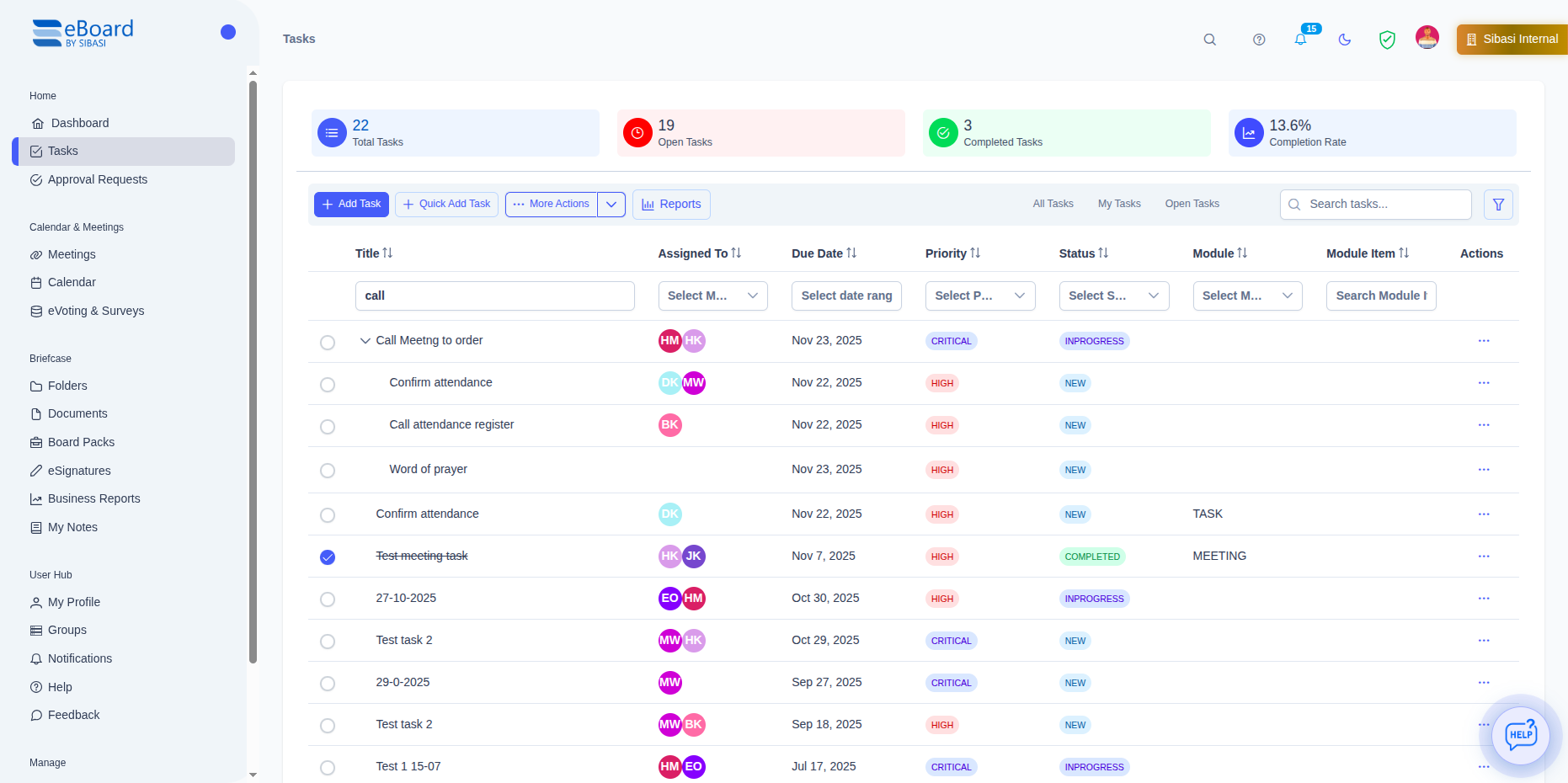
Break down complex tasks into manageable sub-tasks. Track individual components while maintaining the big picture.
eBoard makes it easy to capture action items wherever they arise. Create tasks during meetings, while reviewing documents, or from your dashboard.
 Click to view full image
 Everything you need to manage tasks effectively and ensure accountability
Edit any task field directly without opening forms. Click on title, assignee, due date, priority, or status to update instantly.
Add comments to tasks for updates, questions, or discussions. Keep all task-related communication in one place.
Automated reminders notify assignees before due dates. Escalation reminders for overdue tasks ensure follow-through.
Control who sees each task. Tasks are private to creators and assignees by default, ensuring confidentiality.
Organize tasks by type, department, or project. Custom categories help filter and find tasks quickly.
Tasks created in meetings are automatically linked. View all meeting-related tasks in one place.
Filter tasks by assignee, status, priority, due date, or meeting. Find exactly what you need instantly.
Export task lists to Excel or PDF. Generate task reports for board reviews and performance tracking.
 Click to view full image
 Large projects need to be broken into smaller, manageable pieces. eBoard's sub-task feature lets you organize work hierarchically while tracking overall progress.
Experience the advantages of comprehensive, intelligent task tracking
Automated reminders, visual indicators, and clear accountability ensure every action item is tracked from creation to completion.
Stop chasing people via email. Automated notifications and status tracking reduce administrative overhead by up to 60%.
Every task has clear owners and due dates. Full audit trail shows who did what and when for complete transparency.
Dashboard views show task completion rates, overdue items, and team workload at a glance. Make informed decisions faster.
Comments and meeting integration keep all task-related information in one place for seamless teamwork.
Export reports to analyze task completion rates, identify bottlenecks, and improve board effectiveness over time.
Everything you need to know about task management in eBoard
Join organizations that never miss an action item. Start tracking tasks with complete accountability today.
Discover other powerful features that work seamlessly with task management
Create tasks directly from meetings, automatically linked to agendas and minutes for complete context and traceability.
Learn MoreAttach relevant documents to tasks and access all files needed to complete action items in one central location.
Learn MoreGet instant AI-generated summaries of meetings, automatically extract action items, and analyze discussion trends.
Learn More